
Health App · Management App
Manage alcohol tests from your phone
The Health App connects to iBlow10 PRO via Bluetooth BLE so you can start tests, monitor results and organize your operation's history directly from your phone.
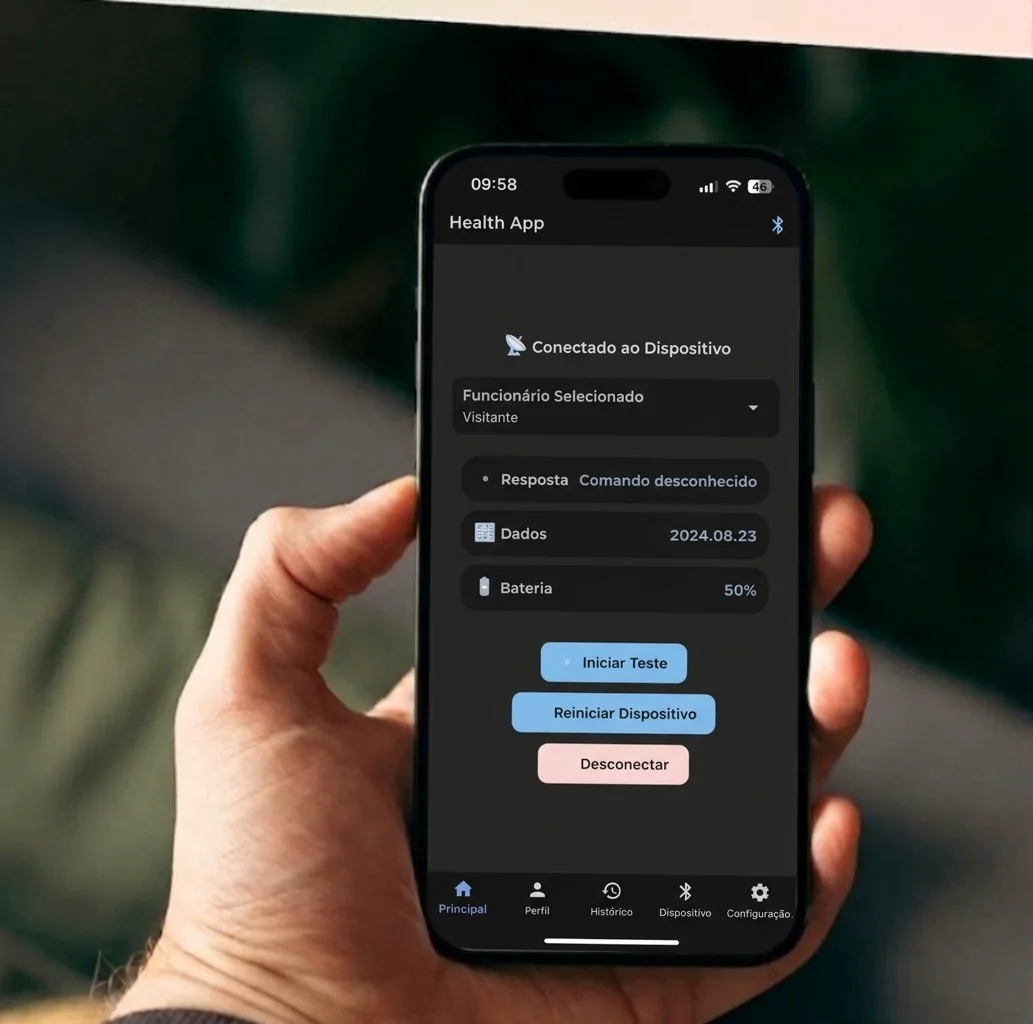
- Connection
- Bluetooth BLE
- Device
- iBlow10 PRO
- Platforms
- Android and iOS
- Export
- XLS file
How it works
From the device to the history in three steps
- 01
Connect iBlow10 PRO
Locate the device and connect via Bluetooth BLE.
- 02
Identify the employee and start the test
Select the employee and start the measurement directly from your phone.
- 03
Monitor and organize
View the result in real time and keep the record available in the history.
Health App screens
See the app in action
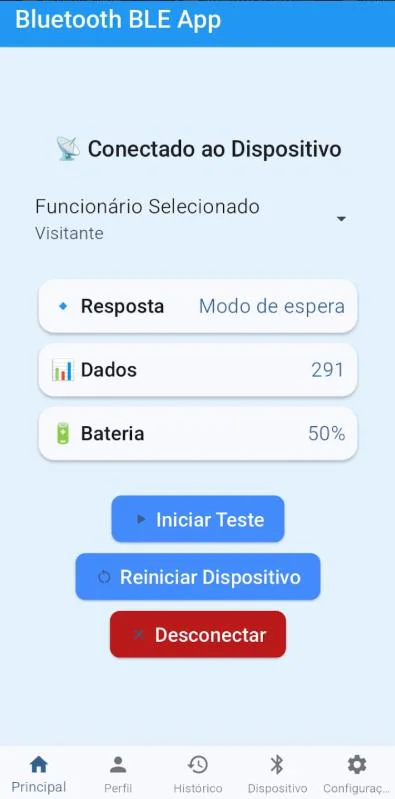
01 Test from your phone
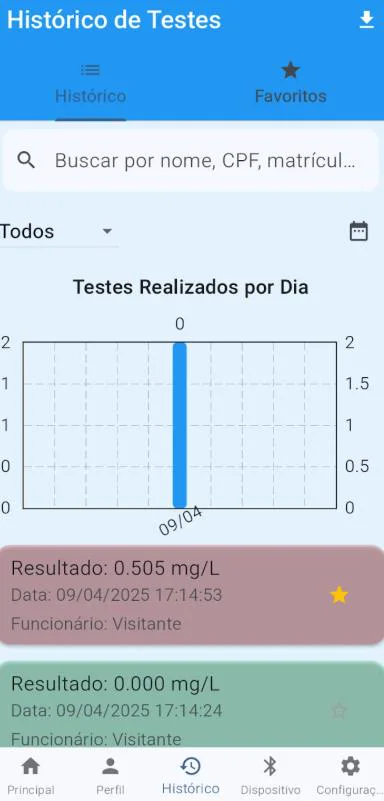
02 Results history
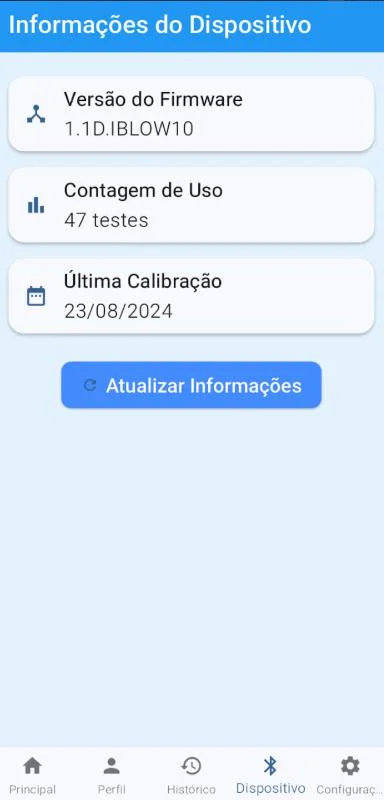
03 Device information
Features
Useful information for operations and maintenance
The app brings together test monitoring, employee management and the device's technical data.
Filterable history
Search records by date, name, result, CPF or employee ID.
XLS export
Manually export records for analysis or use in other systems.
Employee management
Organize profiles with names, job titles, CPF numbers, employee IDs and other operational fields.
Device alerts
Receive alerts about calibration, usage limits and device faults.
Technical diagnostics
View the firmware, calibration status and number of tests performed.
In-app support
Access support channels via WhatsApp or email.
Record privacy
Operational data remains under your control
The technical documentation states that the Health App does not upload data automatically: records are stored locally on the phone until manually exported.
- No automatic uploads
- Records are not automatically sent to the cloud.
- Local storage
- The history remains saved on the mobile device.
- Manual export
- Your operation decides when to generate and share the XLS file.
Communication with the device uses Bluetooth BLE and a proprietary protocol, according to the supplied documentation.
Built for field operations
For teams that carry out and monitor tests
- Transportation, industry and mining
- Occupational safety and site security
- Maintenance technicians and operations supervisors
Compatibility and requirements
- System
- Android 9.0 or later · iOS 12 or later
- Connection
- Bluetooth BLE (Low Energy)
- Permissions
- Location, storage, notifications and Bluetooth
- Availability
- Official app stores for Android and iOS
Next step
Bring the Health App into your testing routine
Talk to Health Safety to validate compatibility, requirements and customization options for your operation.